Patch Notes - October 21, 2026
Red lightning animations and Kai's Longcount ultimate, emotes and move previews, Freya the new Hard AI, and new main menu music. Plus the full patch notes for versions 1.2.8 through 1.3.1.
Hey folks, I’m going to start being a bit more on top of sharing updates as we add them. To start, here are five cool new changes we’ve added since the last playtest! The full patch notes for versions 1.2.8 through 1.3.1 are at the bottom.
Highlights
Animations - Red Lightning
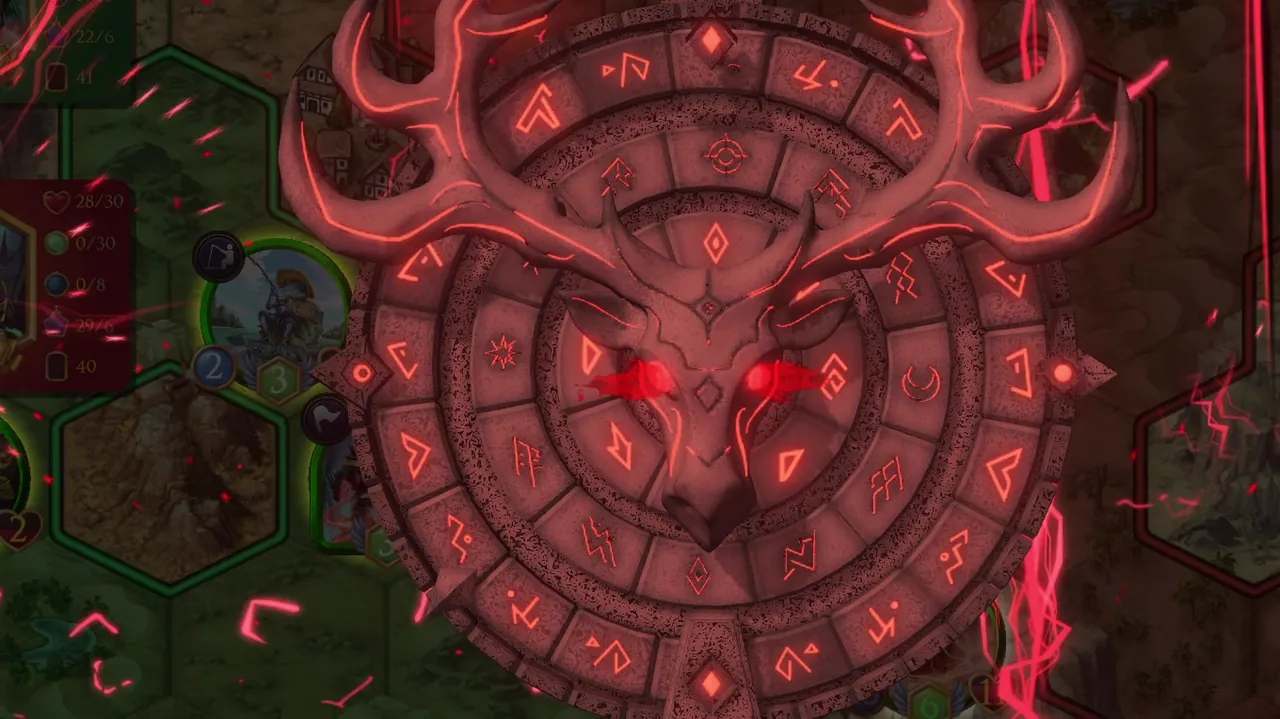
Check out these sick new animations for various lightning spells and effects in Skaal, including the awesome new Kai, Longcount Shaman ultimate ability:
Emotes and Previews
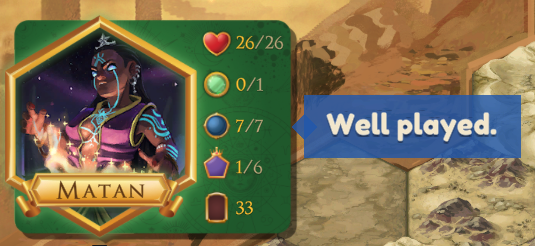
Games now have a built-in way to communicate with your opponent during a match. Just click on your commander portrait to send an emote (matching the six emotes Hearthstone has for now).
You’ll also be able to see more clearly what your opponent is thinking if you pay attention during their turn: as they move cards and characters around, you can see lines indicating the tiles they are considering as they drag around on their own screen. We also improved the UX for your own routing, making it clearer what happens when you move, battle, and play cards.
New Singleplayer AI - Freya
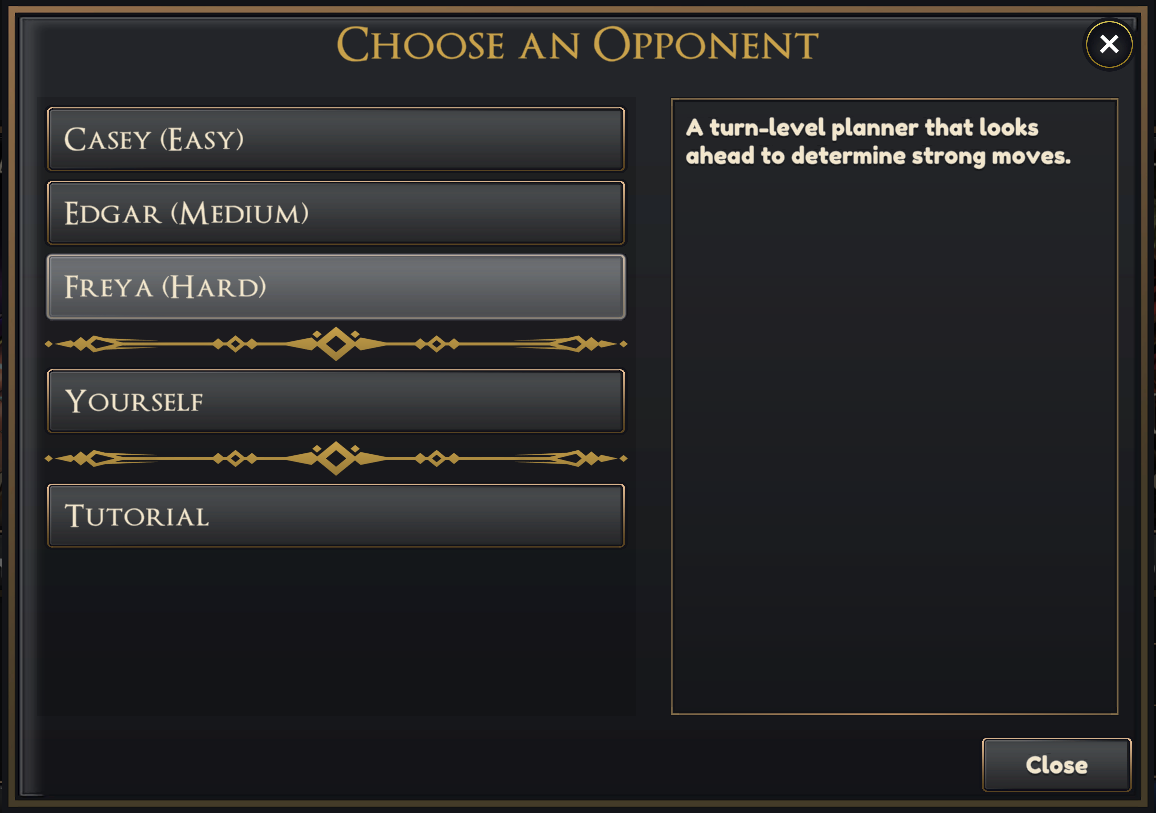
We added a new “Hard” difficulty AI. We hope that Freya will be a worthy challenge for you: she thinks longer and harder about each board state than Edgar does.
Main Menu Music
Open up the game to give the new main menu music a listen! This is also composed by Jackson Sadinsky, our musician, and it adds nice atmosphere while you’re waiting for a game.
Patch Notes: Versions 1.2.8 to 1.3.1
Everything that changed across the last four updates, combined.
New Artwork
- Darkwing (by Marc Petrelis)
- Daemon Knight (by Marc Petrelis)
- Remit (by Tomas Vinco)
- Call of the Jungle (by Tomas Vinco)
- Goblin Duo (by Sam Reissing)
- Goblin Scamp (18 arts of different rarities by Sam Reissing, which appear with different probabilities each time a Goblin Scamp is created. See if you can get the rarest combos!)
With 1.3.0 we no longer have any AI placeholder assets in Atlas Conquest. Every artwork, background, music track, sound effect, animation and visual effect is now either custom-made by people or comes from human-made asset packs.
Balance Changes
- Elber, Jungle Emissary: now draws a card in addition to healing 4 health when playing a card costing 8 or more.
- Sentinel is now Taunt: adjacent enemies may still only battle Taunts, and enemy minions can no longer move away from a Taunt (they can circle it, but not walk past it). Commanders are exempt from the movement lock, and if a Taunt character is on a mountain, it does not affect enemies that can’t viably attack it.
Singleplayer AI
- Freya, our first “hard” AI, is now available to play against.
- Edgar has been tuned to be more aggressive.
- Added a “Thinking” indicator for when AIs are planning their turns.
- The AI now pauses longer after playing a card or activating an ability so you have time to read it, while moves and attacks stay quick.
- Edgar now pauses briefly on each move, attack and card play, so you can follow his turn.
- Casey and Edgar are now labeled with their difficulties in Singleplayer.
- In singleplayer, hovering the AI’s name shows its deck.
Emotes
- Click your commander’s portrait to emote: Greetings, Well played, Thanks, Wow, Oops or Threaten. Emotes show in a speech bubble for both players and spectators, even after the game ends.
- Mute an opponent for the match by clicking their portrait or bubble, or for every match with “Mute opponent emotes” in Audio settings.
New Animations and Sounds
- Kai, Longcount Shaman’s Longcount ability now has a bespoke commissioned animation that’s over-the-top and fittingly epic.
- New red lightning animations for Shock Nova, Primordial Storm, Stormrider Zurn and Thunder Step.
- Enhanced animations for Soultaker Viessa and Atlas, First to Walk.
- New sounds for Khazgar, Flame Emperor, Grutali and Citadel Lord.
- Battles now resolve on the hit: damage numbers change and a defeated character breaks apart as the blow lands, instead of after the attacker has pulled back.
- Minions have an improved default “drop-in” entrance animation when played.
- Cards and abilities your opponent plays now fly into view from where they came from: the commander that played the card, or the unit that used the ability.
- Minions returned to hand (Remit, Expropriation, Fade to Mists and others) now turn back into their card on the board, then fly into the hand slot if it’s your hand, or into the commander of whoever is receiving it.
- Fire effects now have a burn VFX when causing character deaths.
- Shield ability FX improved.
- There is a small flash on claiming a tile now to add visual feedback.
- Improved SFX for Stun effects.
- Paladin Initiate now has a female voice line.
New Music
- Added menu music, which plays from launch through the menus, lobby and deck editor and fades into the map’s track when a match starts (by Jackson Sadinsky!).
- Dunes, Snowmelt and Tropics have minor updates to their music tracks and now loop better.
UX Improvements
Moving, battling and aiming
- Dragging a unit now previews the move: a curved line coloured by action (white move, amber battle, green swap), the movement it will spend under its Speed, and the result, including where it ends up and whether the target dies.
- Aiming a card or ability, moving, or attacking now previews the outcome on the board: stat changes under each unit, and a skull over anything that would die.
- Battle previews now show the health a unit will be left with, without flickering, and the target gets a turning amber ring. Ability icons like Drowsy Lizard’s bob on their target again, and all stat-change numbers share one subtle background.
- Area spells like Fireball draw their full blast while you aim, with a warning when your own units are caught in it.
- Auras and ranged abilities show their range when you hover the ability, place the minion, or move a unit in or out of it.
- Hold Tab to see every unit’s area of influence on both sides.
- Movement paths show movement left at each step, and weapon attacks show durability spent and when the weapon would break.
- Pathfinding finds the shortest route now. Moves that end in an attack or swap still allow you to control the end tile.
- Identical activated abilities on a character now share one button with a ×N count.
- Characters with more than two activated abilities get a drawer that fans the extras out in a ring around them.
- Ability cooldowns now show a radial sweep, with a turn count only for cooldowns longer than one turn.
- The end-turn reminder for an unused temporary ability no longer appears when the ability has nothing useful to do.
Your opponent’s turn
- Your opponent’s routes and aims now show, dimmed, as they make them. Turn this off with “Show opponent activity” under Gameplay.
- A tag by your opponent’s stats shows when they’re choosing a starting hand or discarding.
- When an opponent moves, attacks or plays a card off screen, the camera now pulls back to show it, and moving the camera yourself skips it. This can be turned off with the new Follow opponent actions setting.
- The camera now frames the whole battlefield when following an opponent’s action and at the start of your turn, and keeps your opponent’s actions clear of the HUD.
- Cards and abilities your opponent plays in quick succession now stack in the played-card display instead of replacing each other, each staying up for its full time.
- The played card display moved to the right side. Only the front card stays in full colour, and hovering any older card or ability in the stack brings it to the front to read and keeps it on screen until you move away.
Cards and your hand
- While you hold a card, your mana gem now glows and pulses with the card’s cost beside it, turning red if you can’t afford it, and on play the cost flies into the gem before your mana updates.
- Cards you drag from your hand now tilt with the motion and settle flat when you stop.
- Redesigned the starting hand and end-of-turn discard prompt: a bar above your hand with a fixed instruction per prompt, a pip counter that fills as you pick, and a confirm button that names what will happen. Nothing is pre-selected, and only the cards you choose are marked.
- Large hands now pan by hovering the edge of the screen, with a count of how many cards are off screen on each side. Cards never shrink.
- Right-clicking a unit, weapon or tile now always opens the maximized card, which pops in and dims your hand. Executor Ginn’s card now also shows the Village tile.
- Double clicking a unit, card or tile now inspects it, the same as a right click. This can be switched off under Controls.
- Royal Commander: renamed to Royal Commandant to avoid confusion with the term “commander”.
- Minor card wording improvements across many cards and commanders (shout out to Michael Barth for his wording suggestions!).
The board and HUD
- The stat panels are larger, realigned, and keep their proportions on ultrawide and 4:3 screens.
- The show/hide opponent stats button is now a small portrait of their commander, between the two panels.
- Hovering your own name on the board now shows your deck name.
- Added a “Pan at screen edges” setting, on by default.
- Added a warning when unclaiming a tile while your Commander cannot claim a new one.
- Tutorial Mission 1 has been rebuilt as a scripted mission on Dunes, with your commanders speaking in coloured speech boxes from their portraits, and emotes now use the same style: blue for you, red for your opponent.
Turn clock and pausing
- A burning fuse now runs into the turn clock when your turn is nearly out, and the screen edges pulse red in the final seconds.
- Added low-time sounds: a fuse crackle, rising ticks and a heartbeat, a crack when a reserve pip burns, and a bell at zero.
- The clock pulses over the last 5 seconds, says “Out of time” at zero, and drops any card you were holding back to your hand.
- Low-time warnings now scale with the time control.
- The taskbar icon now flashes when your turn is running out while the game is in the background.
- Added “Low time sounds” and “Clock ticking” options to Audio settings.
- There is now a Pause option. It happens automatically in Singleplayer, and allows temporary pauses in Multiplayer.
- Opening the Game Menu in a singleplayer game (AI, self-play, tutorial) now pauses the whole match, and the menu shows “Paused”.
- Online matches can be paused from the Game Menu. Each player gets a number of pauses set by the time control (Casual 3, Competitive 2, Rapid 1, Blitz none, untimed unlimited). Both clocks stop and the board locks for both players.
- The player who paused can resume at any time, and the opponent after a short grace period. A pause ends by itself at its time limit, and play resumes after a 3-second countdown.
- Custom clocks have a new Pauses section to set the number of pauses, their length and the opponent’s wait.
Menus, lobby and settings
- Casual matchmaking games can now be spectated from the game browser, and spectating now needs both players to allow it. Each player has their own “Allow spectators” switch (in the custom game room, the casual queue, and in-match), and it’s remembered for your next match.
- New players now get a generated name instead of “You”.
- The X in a custom lobby now leaves the lobby instead of returning to the main menu.
- Post-match feedback now sends your rating and comment even if you leave without pressing Submit.
- Improved deck selection, including searching decks by patron and skipping the extra screen when choosing Yourself as a singleplayer opponent.
- You can now move pages in the deck editor with the left and right arrow keys.
- Adora and Mechanus patrons are now listed as “Coming Soon” in the New Deck commander selection scene.
- Smoother mouse wheel scrolling in the lobby, deck lists, dropdowns and action history.
- The Game Menu and the settings tabs now have icons.
- Language now has its own settings tab, marked with a globe, so it can be found from any language.
- The written rules moved from the Game Menu to a new How to Play settings tab, next to the tutorial.
- Bug reports sent after rejoining a match now include the previous session’s log.
Bugfixes
- Fixed “You don’t own this character” appearing when aiming an ability at an enemy.
- Fixed ability tooltips opening on characters during their death animation.
- Fixed Google and Discord sign-in getting stuck if the browser window was closed, which needed a game restart.
- Fixed a plugged-in gamepad making menus flicker and triggering buttons you didn’t click, such as Report a Bug also opening the Rules.
- Fixed the Matchmaking and Custom Games tabs covering the lobby name while you’re in a lobby.
- Fixed the mouse wheel scrolling too far on some mice and trackpads.
- Fixed bug reports from online matches naming the wrong map.
- Fixed AI issues where Edgar wouldn’t use certain abilities immediately.
- Fixed issues with the Freya AI.
- Fixed the Rapid time control description, which still described the old five-minute match clock.
- Fixed the healing sparkle playing on stat buffs like Growth Potion.
- Fixed the maximized card and hovered cards rendering behind the starting hand prompt.
- Fixed numerous localization issues.
Keep reading
More from the Atlas
The Conquest Format
The Top 8 of the Atlas Conquest League is played in Conquest — three locked decks per player, win with all of them to take the round. Full rules, a worked example, and how to think about your lineup.
Atlas Conquest League Deck Choice
A guide to picking a deck for the Atlas Conquest league — upgrade paths from the starter decks, current top lists by archetype, and other notable builds worth a look.
Detailed Rules
The full rulebook for Atlas Conquest, from the basics of a turn to territory, battle, abilities, keywords, commanders, and setting up a game.